Creating an Azure Databricks Workspace
There are two ways to create an Azure Databricks workspace. One is through the Azure Portal (covered in this post) and the other is by using an infrastructure as code (IaC) tool, like ARM templates or Terraform.
The networking options are important in a deployment. These include whether to have no public IPs on cluster nodes and whether to use the default virtual network or "bring your own", aka VNet injection.
Azure Portal
Creating a Databricks workspace through the Azure Portal. On the Basics tab:
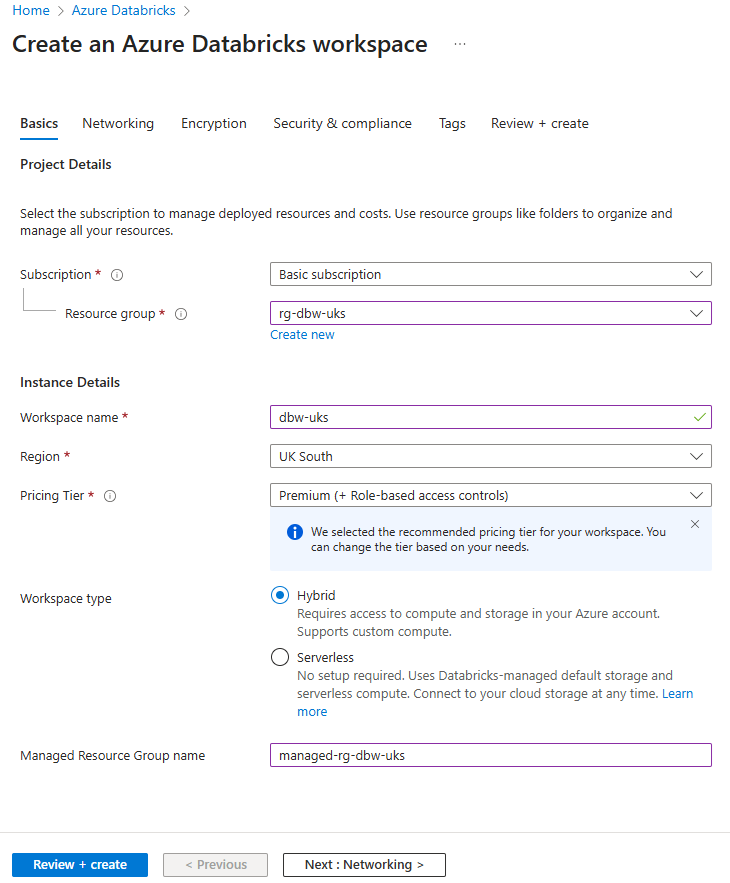
Pricing tier should be Premium because the standard tier is legacy and being retired on 1st October 2026.
Managed resource group
A deployment will create a managed resource group that contains the Azure resources that support the operation of the workspace, e.g., a storage account, a virtual network, virtual machines. You can choose to self-manage certain resources, like virtual networks through VNet injection.
Virtual machines and their associated resources are ephemeral so you only see them when a cluster is active.
If you don't give the managed resource group a name it will be set one that contains a random string.
Networking
Databricks has a two-plane architecture: the control plane and the compute plane. The control plane includes services like the web UI, REST API, Unity Catalog, cluster manager, jobs service, etc. The compute (sometimes called data) plane is where data is processed on a cluster of virtual machines (VMs).
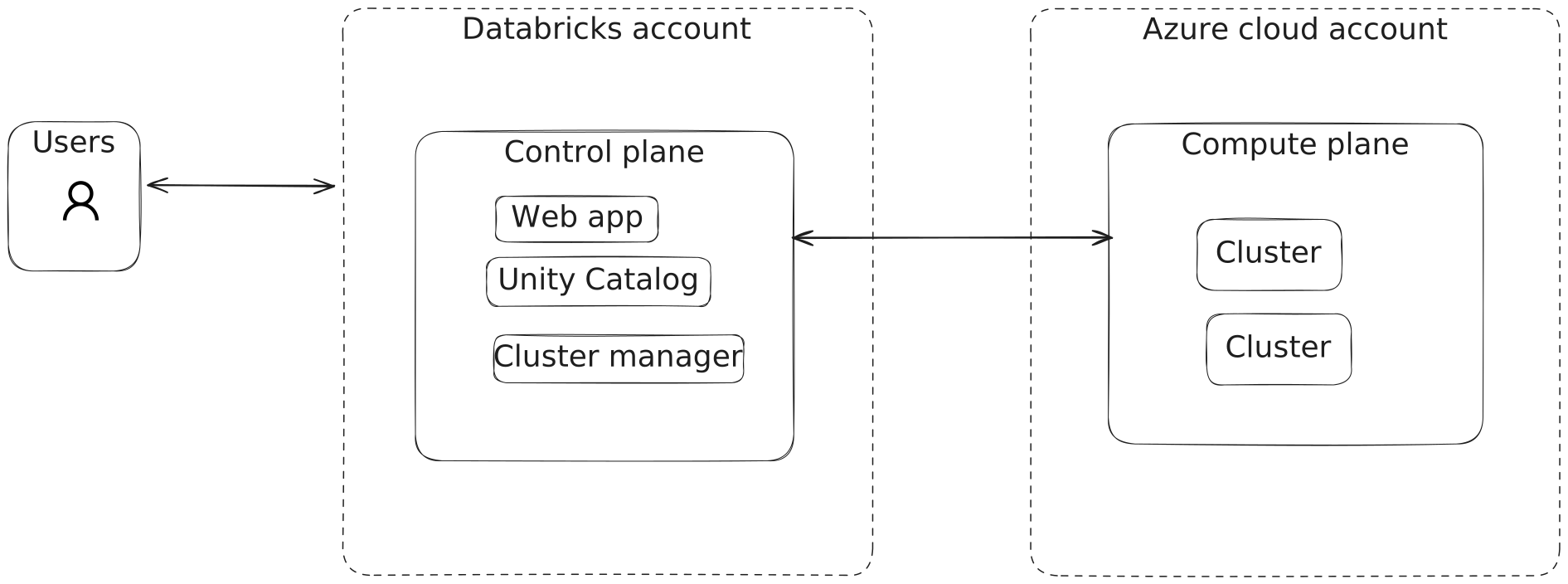
Azure Databricks networking is about configuring the network paths between users and the control plane, and between the two planes (users don't communicate with the compute plane directly).
The networking tab looks like this:
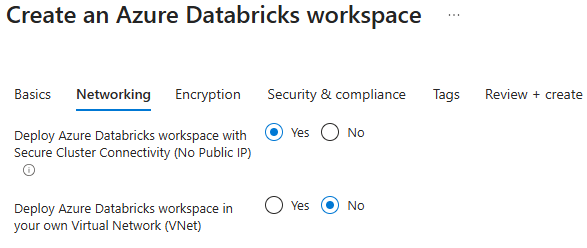
The two options are: secure cluster connectivity (SCC), and whether to deploy the workspace in your own virtual network.
Secure cluster connectivity (SCC)
This is a recommended security option that ensures virtual networks have no open ports and compute plane resources (VMs) have no public IP addresses.
Creating a workspace without SCC (default VNet)
It's not recommended but you can disable SCC. What are the implications? Clusters will require public IP addresses and open inbound connectivity from the control plane. The clusters need to be reachable from Databricks' managed services for cluster management operations.
Basically, the implication is that you have a more exposed environment, which obviously isn't as secure. For new workspaces you should enable this option.
One side effect of disabling SCC is that there won't be any static running costs to having an idle Databricks workspace. SCC-enabled workspaces come with a NAT gateway which has a static monthly cost of about £30. This cost saving might be useful for someone whose intention is just to learn this stuff, knowing that they won't be using the workspace for production.
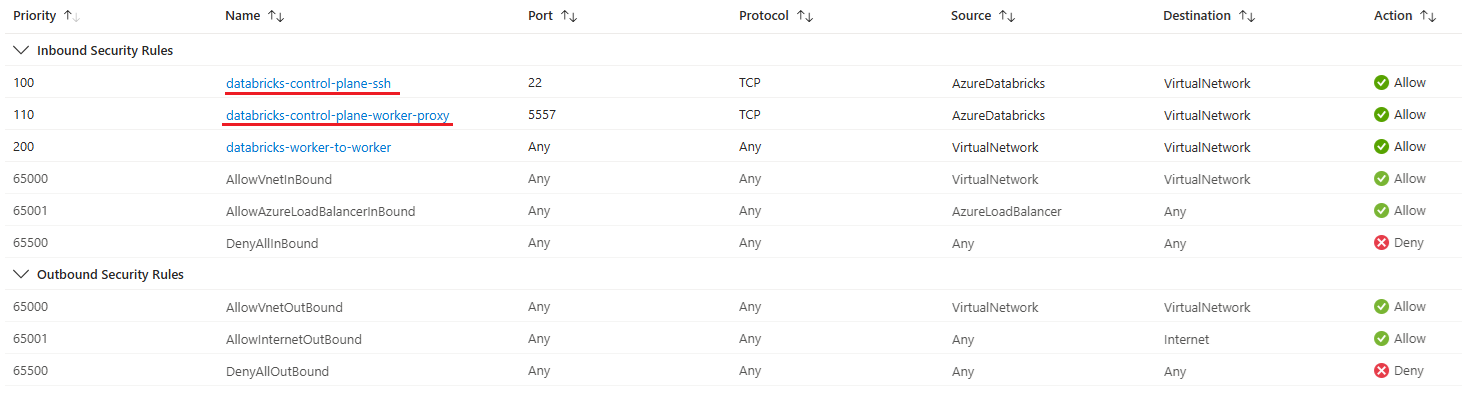
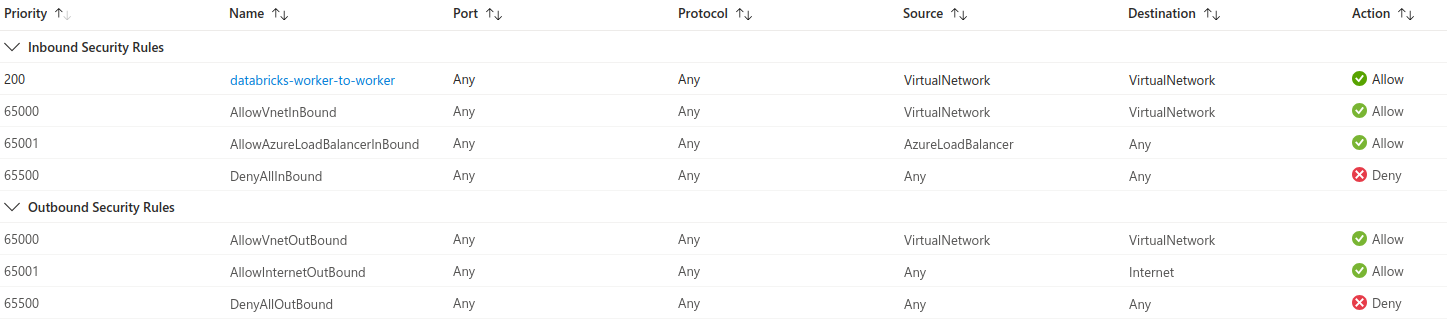
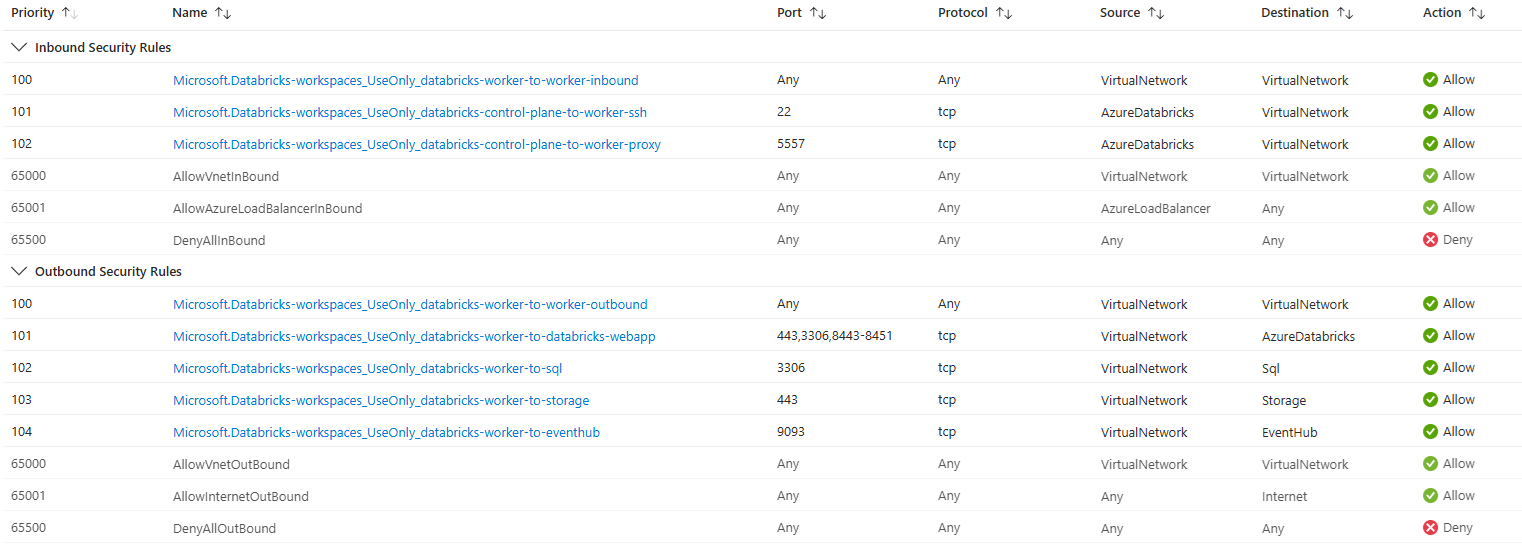
If you do disable SCC then two network security group (NSG) rules will be added. These have the AzureDatabricks service tag and ensure that the control plane can communicate with worker nodes in the compute plane.
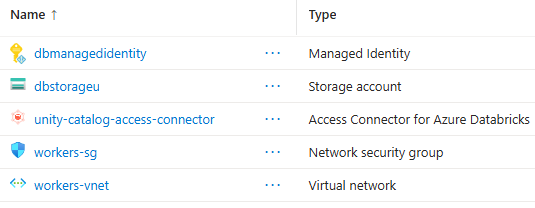
Here's the managed resource group that you see when you disable SCC:
Creating a workspace with SCC (default VNet)
Now creating a workspace with SCC enabled but still in the default VNet.
This is what the managed resource group looks like now:
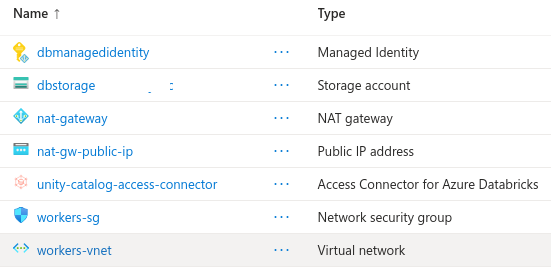
As you can see there is now a NAT gateway and public IP address for the NAT gateway. The NAT gateway is going to cost you about £30 per month as a static cost. The NAT gateway's purpose is to allow outbound traffic from the subnets because with SCC we've made the clusters private by preventing them having public IP addresses.
The two NSG rules that were included when SCC was disabled are not included when SCC is enabled.
Creating a workspace with VNet Injection (without SCC)
Now to create a workspace by "bringing your own" VNet, also called VNet injection.
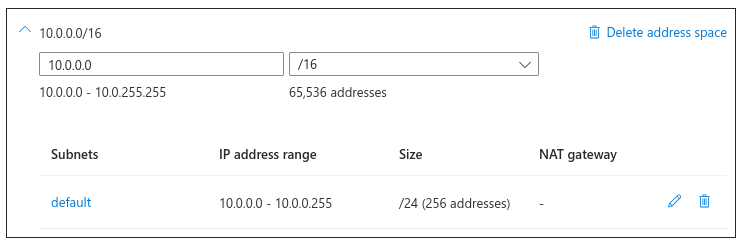
First you need a VNet. Here's creating one with address space 10.0.0.0/16:
An Azure Databricks workspace needs two subnets. One is called the public or host subnet and the other is called the private or container subnet. The public subnet is used by services that need outbound internet access, like driver nodes that download Maven packages. The private subnet is used by services that don't need outbound access, like worker nodes.
Host refers to the virtual machine and container refers to the Databricks runtime on the virtual machine.
The subnets have been defined with 10.0.1.0/24 and 10.0.2.0/24 because there's already a default subnet that came with the VNet at 10.0.0.0/24.
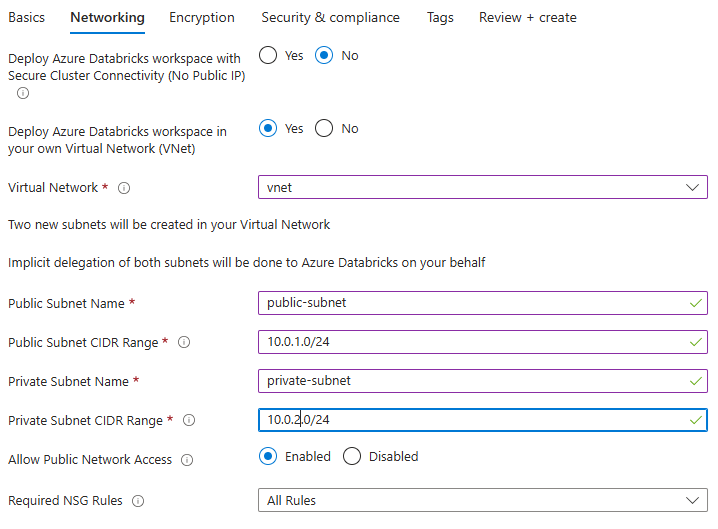
Allow Public Network Access must be enabled if we are not enabling SCC because the public subnet needs outbound access.
Required NSG Rules must be All Rules if SCC is disabled because, again, certain rules need to be in place for clusters to function properly.
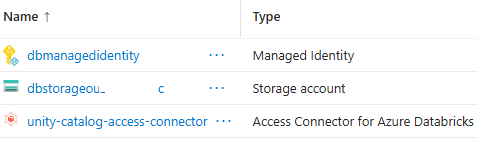
After successful deployment, the managed resource group looks like this:
Here's the resource group when a single node cluster is spun up:
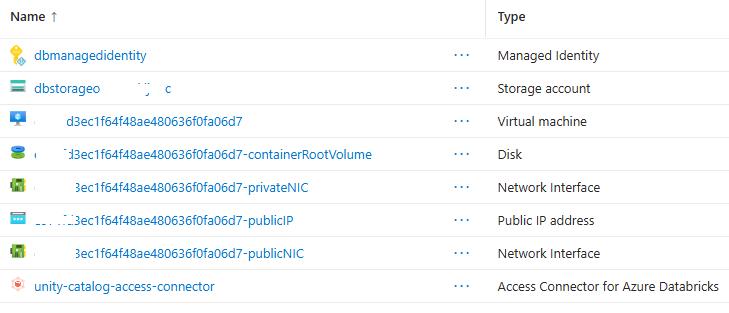
You can see two NICs, one for the public and one for the private subnet. It does not have the VNet or NSG, as we've opted to manage those ourself. The VNet, which we created earlier, and the NSG created by the deployment is in the resource group we chose:
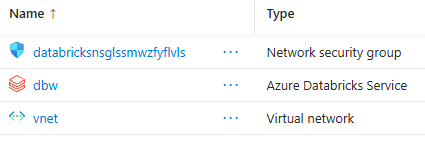
The VNet has the two subnets defined when configuring the networking tab:

The NSG rules that were added for us ensure clusters work correctly:
Creating a workspace with VNet Injection (with SCC)
Now creating a workspace with VNet injection and SCC enabled.
It asks if you want to Deploy Azure Databricks workspace within NAT Gateway.
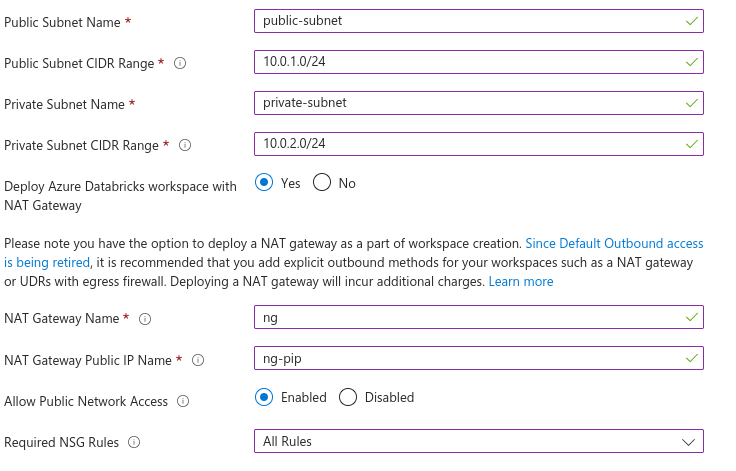
With SCC enabled cluster nodes won't have public IP addresses but they will still need outbound access, for example, to download packages and call APIs. Databricks recommends the workspace have a stable egress public IP and this can be conveniently achieved with a NAT gateway. This is why this option exists. If you didn't use this option then you'd have to manually route outbound traffic.
I also enabled Allow Public Network Access because I'm not using a private endpoint in this example.
The resource group looks like this:
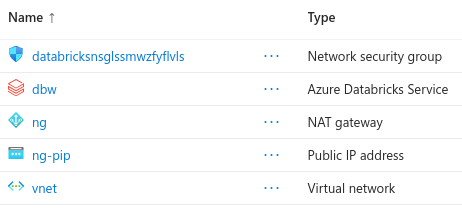
You can see the NAT gateway and its public IP address. The managed resource group looks like this:
If we create a single node cluster and look in the managed resource group
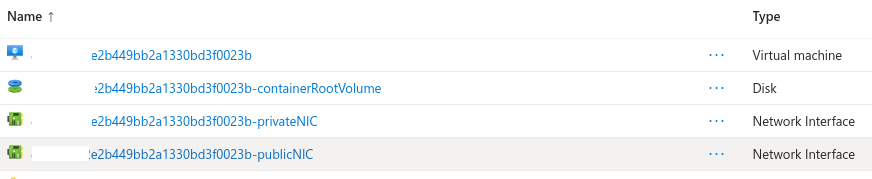
Notice there isn't a public IP address because we enabled SCC. The VM (host) and Databricks runtime (container) have an NIC, and these sit in the public/private subnets respectively, and the subnets are configured in the NAT gateway, which has a public IP address.
Creating a cluster
Here's creating a single node cluster.
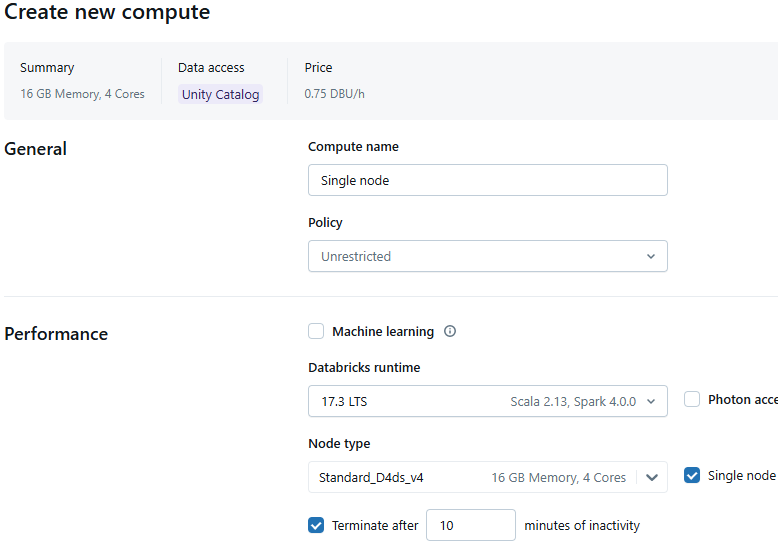
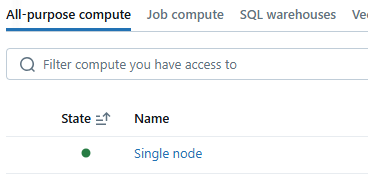
When you create a cluster it will be started automatically and goes from an inactive to an active state as indicated by the green circle:
If you go to the managed resource group you will see the compute resources that were created for this single node cluster.
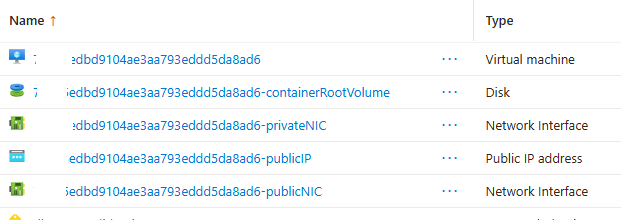
When the cluster terminates these resources are deleted.
It took about 5 minutes to spin up the cluster, at which point I terminated it. What did this actually cost? £0.06. £0.04 of which was infrastructure, i.e., the virtual machine, and £0.02 was the Databricks DBU cost.
